
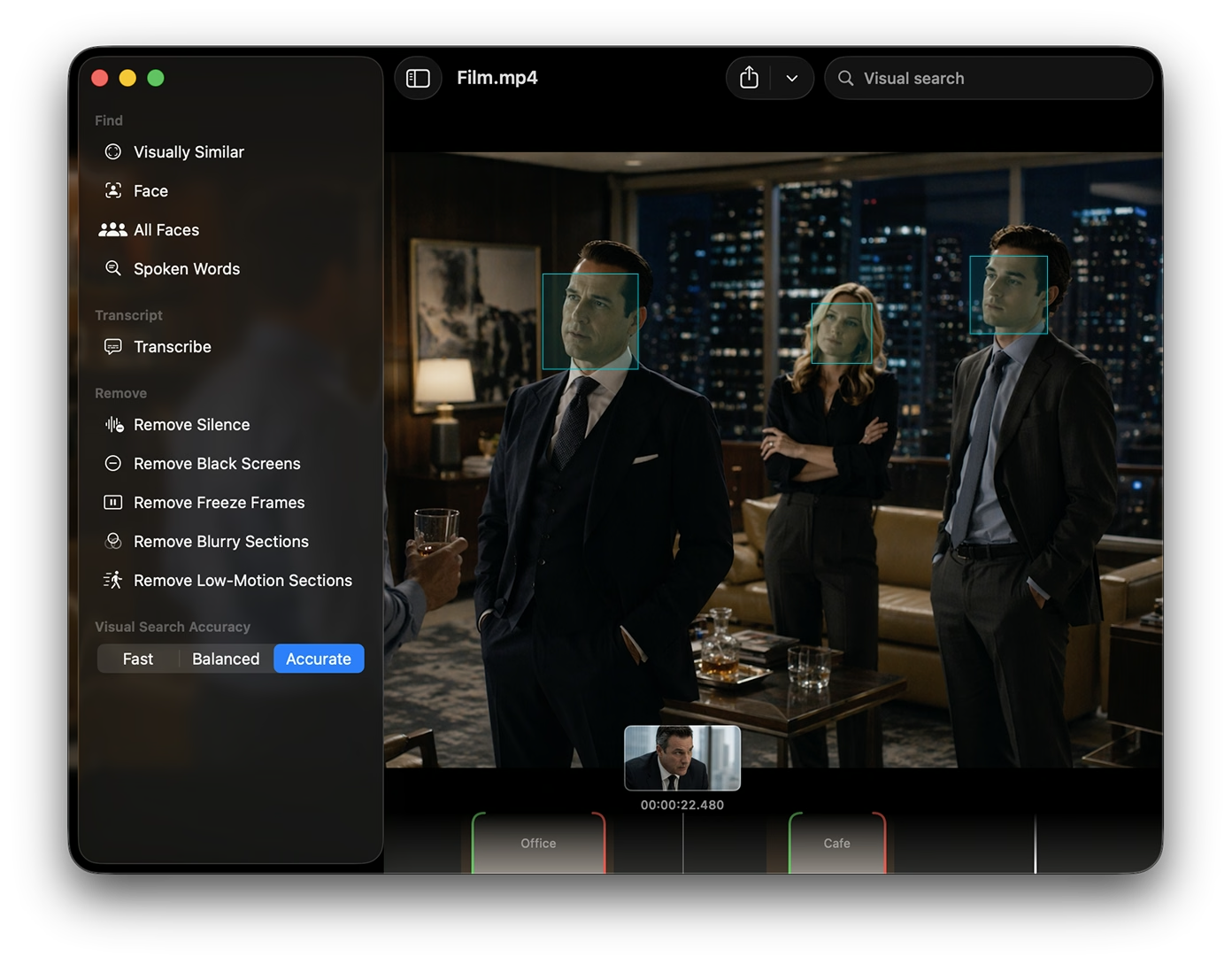
Segment detection
Auto shot boundary detection
Finds where shots change so you can snap cuts to real edits instead of hunting frame-by-frame through long clips.
Mark segments, detect shots, find people and objects, then export with stream copying. Your quality stays identical to the source.
Cuts are made at the container level without re-encoding, so picture and audio stay bit-for-bit where the codec allows.
Optional reference-frame and face-aware scans help you find relevant stretches faster, then you refine on the timeline.
Build a list of videos in the playlist window, then export segments or run face scans across the queue. Nearly everything you can do on one file, you can run in bulk the same way.
Segment detection
Finds where shots change so you can snap cuts to real edits instead of hunting frame-by-frame through long clips.
Pick a reference face and scan the timeline for appearances. Ideal for interviews, vlogs, and any clip where one person matters.
Vision-backed detection highlights meaningful regions so you can jump to segments where subjects and action actually show up on screen.
Find visually similar shots to a reference frame or image, great for finding recurring B-roll, locations, or the same setup across hours of footage.
Free
Core editingPro · Monthly
Pro · Yearly
Best valueThe app is free to install. When you want Find Person, Find Object, and other premium tools, start a trial or choose a plan. Use the Access Purchase link in your email to open your customer portal, then copy your license key and paste it into the app.
FAQ
Quick answers about lossless cutting, quality, and how the app handles your files.
Lossless export copies compressed video without re-encoding.
In formats like MP4, only some frames are full keyframes, so cuts must land on valid points in the file.
Picture quality stays the same as the source, but start and end times may snap to the nearest valid spot, not every single frame.
Getting exact frames usually means re-encoding, which this app avoids on purpose.
Video and audio are exported with stream copying where possible, so picture and sound are not recompressed.
You keep the same quality and avoid generation loss.
The tradeoff is the keyframe alignment limits described above.
No. Editing, previews, and exports run on your Mac.
Face recognition and object detection use on-device AI models, so those scans stay offline too.
Your source files stay local unless you choose to share them yourself.
The app targets common formats you can open on a Mac, especially MP4 and MOV.
Whether a specific file works depends on what your system can play; unusual formats or copy-protected movies may not open or export losslessly.
No. Playback and export use the media support built into macOS.
You don't need to install or maintain FFmpeg separately.
You can download and use the core editor for free.
Pro features (like face- and object-based segment discovery and other premium tools) unlock after you start a trial or subscribe.
After checkout, use the Access Purchase button in your email to open the customer portal.
In the customer portal, copy your license key, then open the app’s Settings and paste it to activate this Mac.
You may request a refund within 24 hours of an initial purchase charge or a subscription renewal.
Use the refund request form so we can match your account and process eligible requests quickly.
It's a native Mac app focused on reliable lossless export.
There isn't a Windows or Linux build today.
Download and install the Mac app from this site.
In the app, open the Help window from the menu bar. It shows the support email address to use.
Send your question, bug report, or feedback to that address.